
Variation
product Variation Table
Product variation table is a simple yet powerful WooCommerce addon that improves your store’s shopping experience.
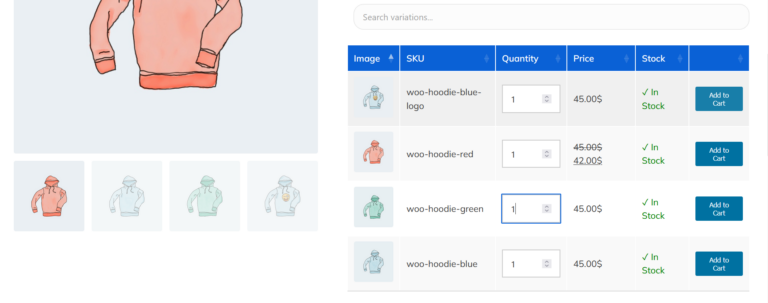
It display variations as a table so user can see all variations in a table and easily add to cart product.
Perfect for digital products, quick purchases, or flash sale events.
Why Chose Product Variation Table
Managing WooCommerce product variations doesn’t have to be confusing or cluttered. Our Product Variation Table plugin transforms complex variations into a clean, user-friendly table—designed to improve both customer experience and sales performance.
Instead of dropdowns, all product variations are displayed in a structured table format. Customers can easily compare prices, attributes, stock, and quantities at a glance—leading to faster purchase decisions.
Product Variation Table
Key Features
Check Product Variation Table plugin Features
Clear & Organized Variation Display
Instead of dropdowns, all product variations are displayed in a structured table format. Customers can easily compare prices, attributes, stock, and quantities at a glance—leading to faster purchase decisions.
Drag & Drop Column Control
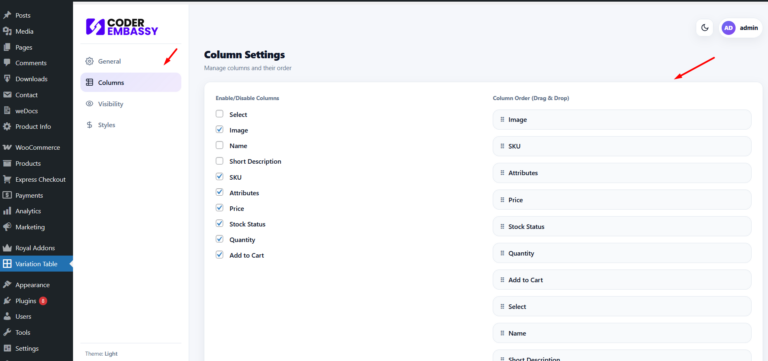
Reorder table columns effortlessly using drag & drop. Highlight what matters most—price, stock, SKU, attributes—without writing a single line of code.
Enable / Disable Columns Anytime
Show only the columns you need. Hide unnecessary data to keep the table clean, simple, and focused for your customers.
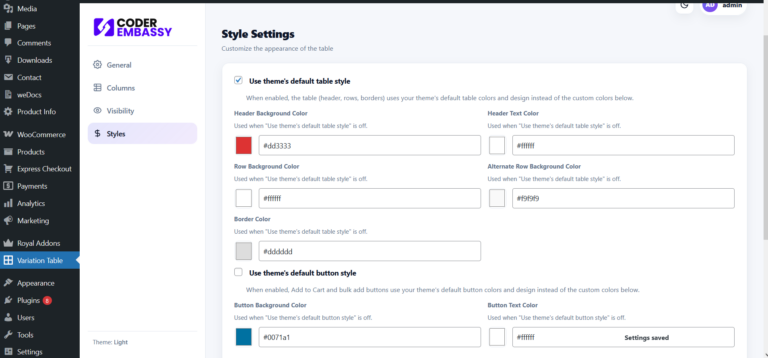
Fully Customizable Styling
Match the variation table with your theme design. Customize colors, fonts, borders, and spacing to create a seamless look that blends perfectly with your store.
Flexible Table Positioning
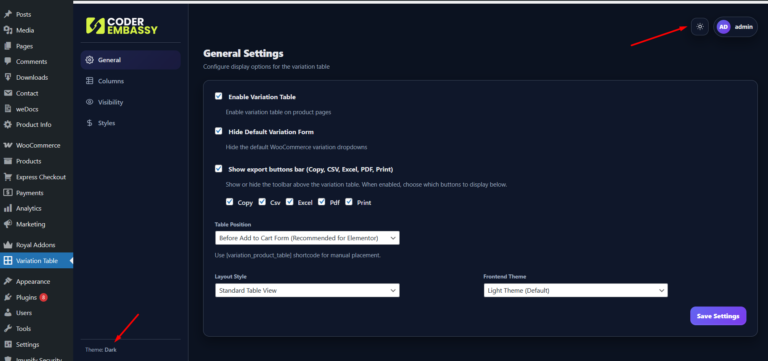
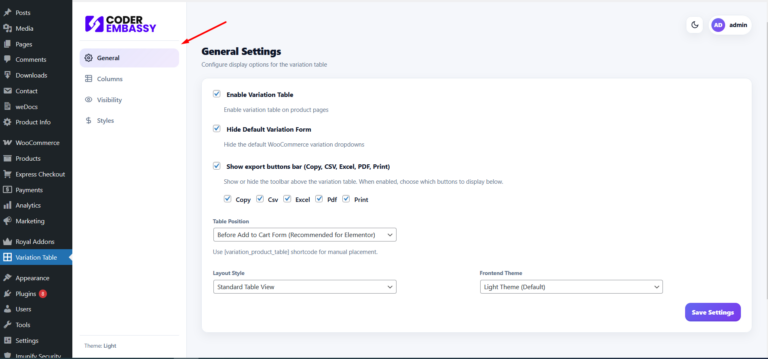
Display the variation table exactly where you want—before the Add to Cart button, after product summary, or anywhere on the single product page using built-in options or hooks.
Improved User Experience = Higher Conversion
A faster, clearer way to select variations reduces friction and confusion, helping customers add products to cart with confidence.
Developer Friendly
Works smoothly with most WooCommerce themes. Easy setup for beginners, flexible hooks for developers.
Right Plan for Your Business
Chose your best price from below
Starter
PlanProfessional
PlanBusiness
Plan
100% MONEY-BACK GUARANTEE
At Coderembassy, we’re a team of passionate and skilled professionals dedicated to elevating your web experience. We stand by our work with a 30-days money-back guarantee – if you’re not satisfied, we’ll issue a full refund, no questions asked. Let us help you build something exceptional.
Screenshots
Frequently Asked Questions
Read the latest property how-to guides, and information and tips for buying, selling, investing and renting.
It replaces the default WooCommerce variation dropdowns with a clean, organized table layout. Customers can easily view all variations, prices, stock, and attributes in one place.
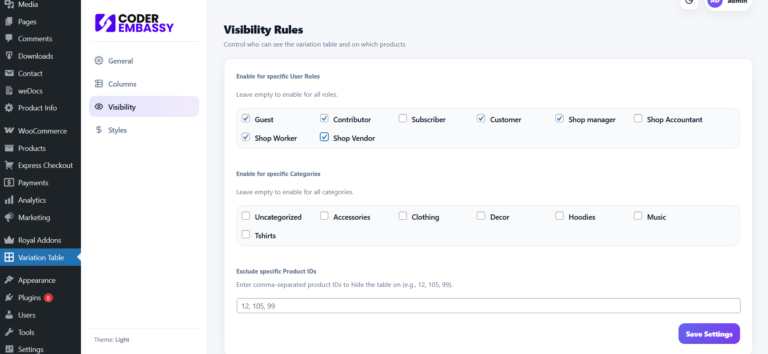
Yes, you can display variation table Visibility Rules such as Gust, customer, shop manager, Shop vendor, subscriber, shop worker.
The variation table is designed specifically for variable products. Simple products continue to work normally without any changes.
Yes! You can easily reorder columns using drag & drop. No coding skills are required.
Absolutely. You can show or hide columns like price, stock, SKU, quantity, attributes, and more with just one click.
Yes. The plugin allows you to style the variation table to match your theme. You can adjust colors, fonts, borders, spacing, and overall layout.
You can choose where the table appears on the single product page — before or after the Add to Cart button, inside the product summary, or in a custom position using hooks.
Yes, the plugin is built following WooCommerce standards and works smoothly with most modern themes.
Yes, You can use theme default style at Variation product Table.