
Coderembassy Express checkout plugin have a shortcode option. this plugin will generate short-code easily. Follow below step
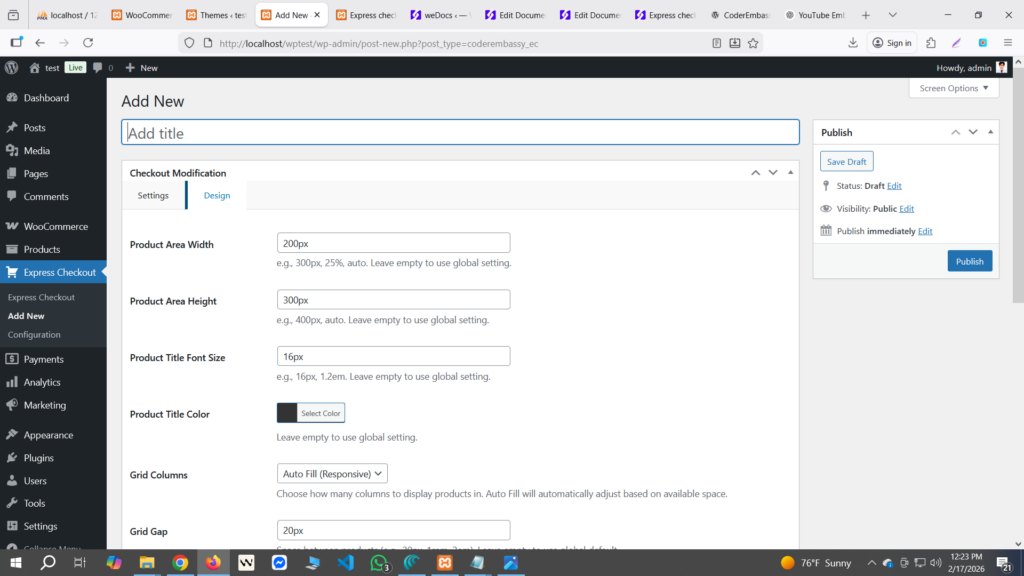
Go to Express checkout menu from Admin Dashboard and then click add new to make shortcode. see below screenshot.
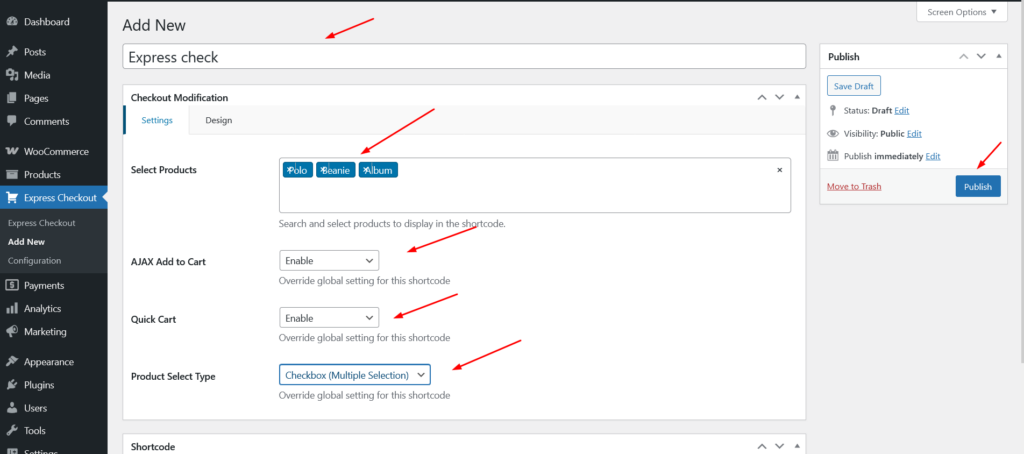
After that, write short-code name and change settings from settings tab and after that publish it.
After publish Shortcode will generate at the below of the page. check screenshot below.
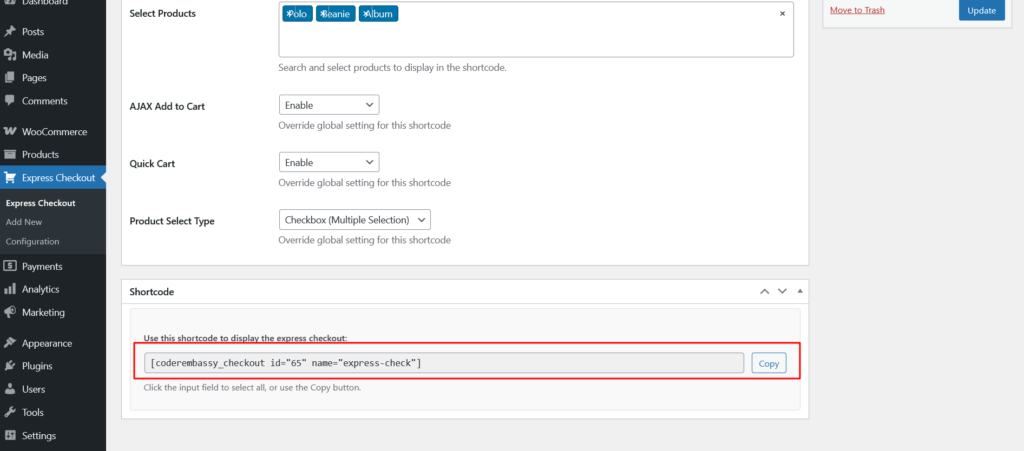
Now you can display this shortcode anywhere as you want.